Опитування
Збирайте відгуки, вивчайте аудиторію та дізнавайтеся, що важливо.
Подивитися демоСтворюйте опитування, тести та іспити. Діліться з учасниками й перетворюйте відповіді на зрозумілі висновки.
Почніть безкоштовно. Розширюйте можливості в міру зростання.
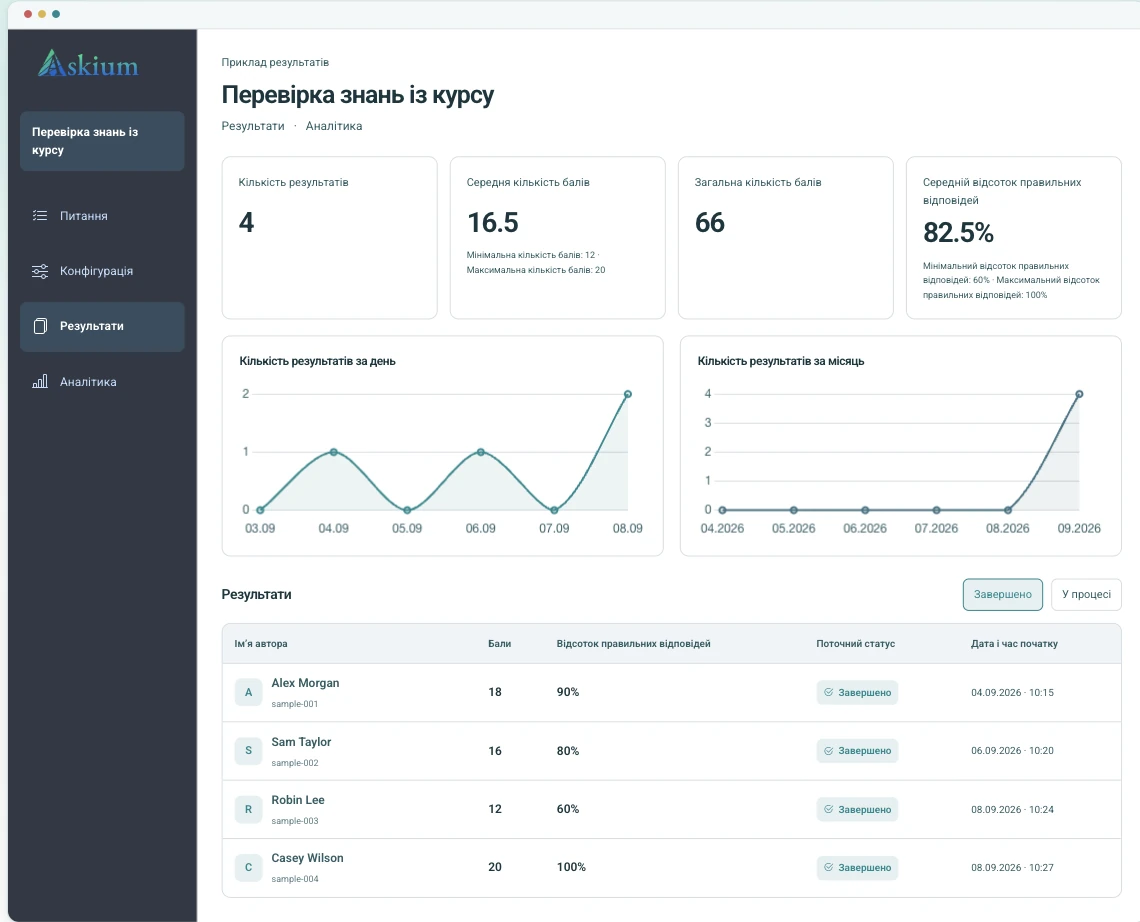
Перегляд десктопної версії з прикладом даних.
Збирайте відгуки, вивчайте аудиторію та дізнавайтеся, що важливо.
Подивитися демоПеревіряйте знання з автоматичним підрахунком балів і докладними результатами.
Подивитися демоОцінюйте знання з особистими запрошеннями, таймерами та моніторингом.
Подивитися демоВід найму до навчання: збирайте відгуки, перевіряйте знання та переглядайте результати в одному місці.
Використовуйте вікторини з таймером, запрошувальні посилання, оцінювання й аналітику, щоб порівнювати відповіді без упорядкування таблиць.
Порівняти ліміти PlusЗапускайте тести з навчальної платформи та передавайте оцінки назад через інтеграцію LTI.
Переглянути документацію інтеграційПоєднуйте персональні білети, таймери запитань, моніторинг дій, сигнали прокторингу через вебкамеру, ключі перевірки результатів та експорт.
Відкрити демо з прокторингомПублікуйте брендовані опитування, переглядайте відповіді й надсилайте кожен результат до CRM або внутрішньої системи через Webhooks.
Створити опитуванняОдин процес підтримує як прості опитування, так і суворіші іспити, тому командам не потрібні окремі інструменти для створення, проведення та звітування.
Додавайте запитання вручну, імпортуйте їх або генеруйте чернетки за допомогою ШІ; налаштовуйте оцінювання, таймери, сторінки та брендування.
Опублікуйте загальнодоступне посилання, створіть персональні запрошувальні посилання або запускайте через інтеграцію з LMS.
Учасники відповідають у клієнтському інтерфейсі з прогресом, таймерами, правилами доступу, моніторингом і прокторингом, якщо їх увімкнено.
Переглядайте результати, експортуйте звіти PDF/XLSX, перевіряйте ключі результатів і надсилайте дані через API, Webhooks або повернення оцінок LTI.
Створюйте швидше, налаштовуйте оформлення та розумійте кожну відповідь.
Генеруйте чернетки запитань і варіантів відповідей за темою, а потім перевіряйте та редагуйте їх перед публікацією.
Переглядайте час проходження, перемикання вкладок і сигнали вебкамери разом із результатом іспиту.
Переглядайте бали, відсоток правильних відповідей і аналітику за кожним запитанням, а також експортуйте звіти про результати чи аналітику у PDF/XLSX.
Застосовуйте логотипи, кольори, стилі кнопок, типографіку, фони й оформлення сторінки результатів до інтерфейсу учасника.
Використовуйте токени API, Webhooks, запуск і deep linking LTI та повернення оцінок у пов’язаних процесах оцінювання.
Робочі групи дають колегам змогу спільно працювати з формами, посиланнями, результатами, аналітикою, Webhooks і брендуванням у межах визначених прав.
Так, доступний безкоштовний тариф із базовими можливостями для створення форм і тестів.
Також є безкоштовний пробний період для платних тарифів.
Таймери, перемішування запитань та відстеження перемикання вкладок і вікон значно ускладнюють списування.
Абсолютного захисту не існує, але за обмеженням часу і блокуванням перемикань користувачеві буде складно знайти відповіді без знань.
Інтерфейс і форми доступні кількома мовами: англійською, іспанською, німецькою, французькою, російською, українською, польською, італійською, хорватською, чеською та португальською.
Цей список постійно оновлюється.
У безкоштовному тарифі є обмеження на кількість активних форм і запитань.
У платних тарифах ліміти вищі або відсутні.
Так, можна задати загальний час для всього тесту або окремий час для кожного запитання.
Сервіс автоматично генерує запитання та варіанти відповідей на основі заданої теми або опису, обраною мовою форми.
Так, доступ можна налаштувати: Публічний (для всіх) або За запрошенням (за персональним посиланням).
Також форму можна зняти з публікації в будь-який момент.
Так, усі форми автоматично адаптуються під смартфони та планшети.
Так, у платних тарифах доступне повне налаштування дизайну: логотип, кольори, фони та шрифти.
Так, ви можете безкоштовно протестувати всі функції протягом обмеженого часу перед оплатою.
Почніть із невеликої реальної форми або відкрийте демо, щоб побачити досвід учасника перед створенням облікового запису.