Sondaggi
Raccogli feedback e scopri cosa conta per il tuo pubblico.
Guarda la demoCrea sondaggi, quiz ed esami. Condividili con il tuo pubblico e ricava informazioni da ogni risposta.
Inizia con un piano gratuito. Cresci quando serve.
Anteprima desktop con dati di esempio.
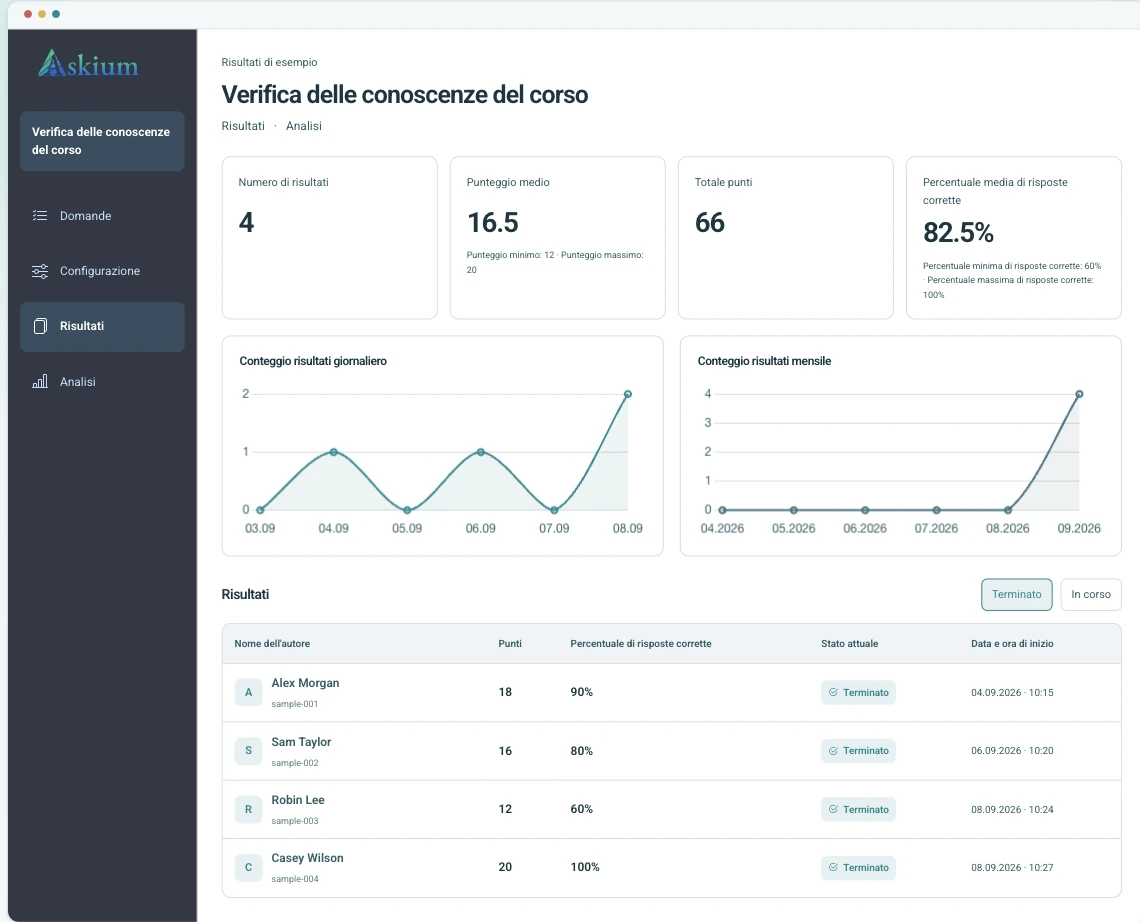
Raccogli feedback e scopri cosa conta per il tuo pubblico.
Guarda la demoVerifica le conoscenze con punteggi automatici e risultati dettagliati.
Guarda la demoValuta le conoscenze con inviti personali, timer e monitoraggio.
Guarda la demoDalla selezione del personale alla formazione: raccogli feedback, verifica le conoscenze e consulta i risultati in un unico posto.
Usa quiz con timer, link di invito, punteggio e analitiche per confrontare le risposte senza dover riordinare fogli di calcolo.
Confronta i limiti di PlusAvvia le valutazioni dalla tua piattaforma didattica e restituisci i voti tramite l’integrazione LTI.
Leggi la documentazione delle integrazioniCombina schede personali, timer per le domande, monitoraggio delle azioni, segnali di proctoring via webcam, chiavi di verifica dei risultati ed esportazioni.
Apri la demo con proctoringPubblica sondaggi con branding, esamina le risposte e invia ogni compilazione al CRM o al sistema interno tramite Webhooks.
Crea un sondaggioLo stesso flusso supporta sondaggi semplici ed esami più rigorosi, così i team non hanno bisogno di strumenti separati per creazione, distribuzione e reportistica.
Aggiungi domande manualmente, importale o genera bozze con l’IA; configura punteggio, timer, pagine e branding.
Pubblica un link pubblico, crea link di invito personali oppure avvia il modulo tramite un’integrazione LMS.
I partecipanti rispondono nell’interfaccia cliente con avanzamento, timer, regole di accesso, monitoraggio e proctoring quando abilitati.
Esamina i risultati, esporta report PDF/XLSX, verifica le chiavi dei risultati e invia i dati tramite API, Webhooks o restituzione dei voti LTI.
Crea più velocemente, personalizza lo stile e comprendi ogni risposta.
Genera bozze di domande e opzioni di risposta a partire da un argomento, quindi esaminale e modificale prima della pubblicazione.
Consulta tempi, cambi di scheda e segnali della webcam insieme a ogni risultato dell’esame.
Consulta punteggi, percentuali di risposte corrette e analitiche per domanda, ed esporta report dei risultati o delle analitiche in PDF/XLSX.
Applica logo, colori, stili dei pulsanti, tipografia, sfondi e stile della pagina dei risultati ai flussi dei partecipanti.
Usa token API, Webhooks, flussi di avvio e deep linking LTI e restituzione dei voti per processi di valutazione connessi.
I gruppi di lavoro consentono ai colleghi di collaborare su moduli, link, risultati, analitiche, Webhooks e branding con permessi definiti.
Sì, offriamo un piano gratuito con funzionalità di base per creare moduli e test.
I piani a pagamento includono anche un periodo di prova gratuito.
Limiti di tempo, mescolamento delle domande e monitoraggio del cambio di finestra/scheda rendono molto difficile copiare.
Anche se una protezione assoluta non è possibile, con 30–40 domande e circa 60 secondi per domanda senza poter cambiare finestra, è improbabile che chi non conosce la risposta riesca a copiare con successo.
L’interfaccia e i moduli sono disponibili in diverse lingue, tra cui inglese, spagnolo,
tedesco, francese, russo, ucraino, polacco,
italiano, croato, ceco e portoghese.
Questo elenco crescerà nel tempo.
Nel piano gratuito sono presenti limiti sul numero di moduli e domande attivi.
Nei piani a pagamento i limiti sono più alti o assenti.
Sì, puoi impostare un limite di tempo totale per l’intero test o un limite per ciascuna domanda.
In base all’argomento o alla descrizione selezionata, il servizio genera automaticamente domande e opzioni di risposta nella lingua specificata nelle impostazioni del modulo.
Sì, le impostazioni di accesso sono configurabili. I moduli Pubblici sono visibili a tutti, mentre quelli Solo su invito sono accessibili tramite link personalizzati.
Puoi anche rimuovere completamente l’accesso togliendo la pubblicazione del modulo.
Sì, tutti i moduli si adattano automaticamente a smartphone e tablet.
Sì, nei piani a pagamento è disponibile una personalizzazione completa del brand: loghi, palette di colori, sfondi e stili dei caratteri.
Sì, puoi provare gratuitamente tutte le funzionalità per un periodo limitato prima di sottoscrivere.
Inizia in piccolo con un modulo reale oppure apri la demo per vedere l’esperienza del partecipante prima di creare un account.