Ankete
Prikupite povratne informacije i saznajte što je vašoj publici važno.
Pogledajte demoIzradite ankete, kvizove i ispite. Podijelite ih s publikom i steknite uvide iz svakog odgovora.
Počnite besplatno. Proširite mogućnosti po potrebi.
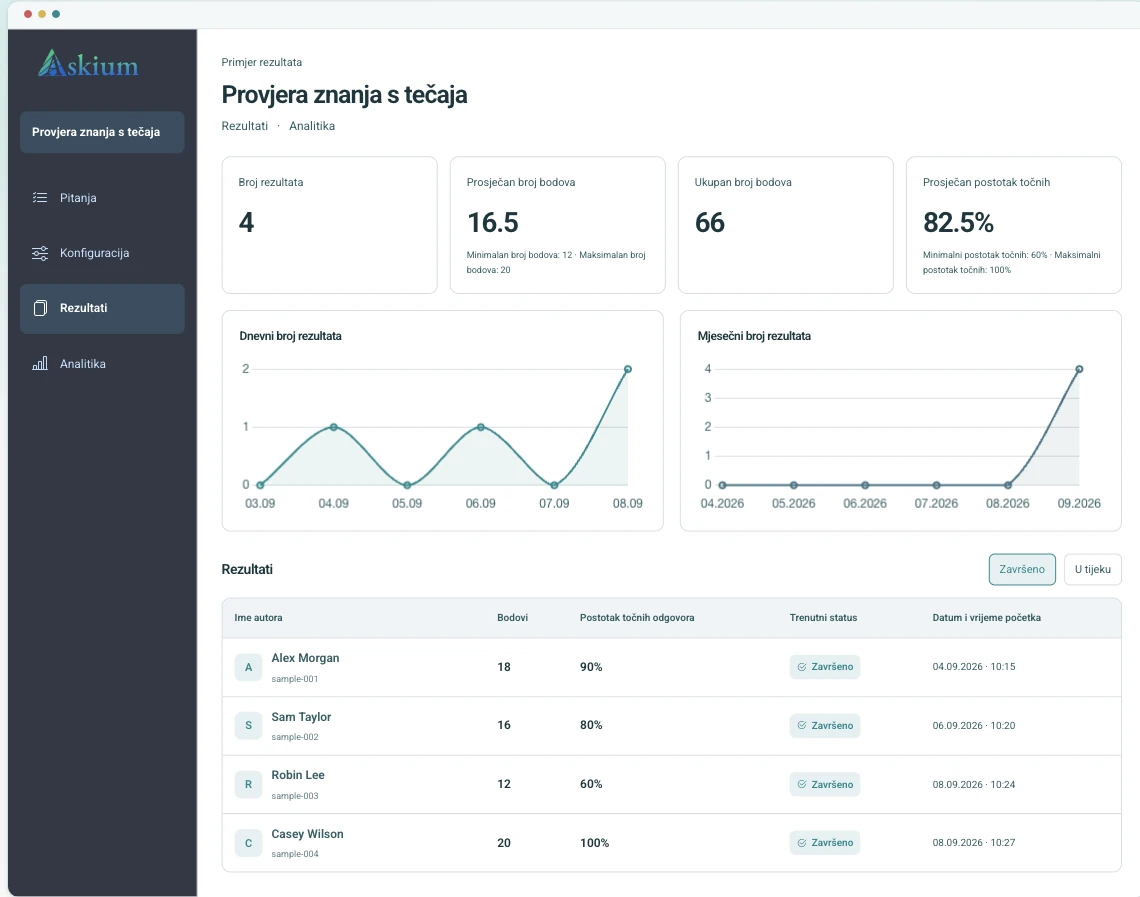
Pregled verzije za računalo s oglednim podacima.
Prikupite povratne informacije i saznajte što je vašoj publici važno.
Pogledajte demoProvjerite znanje uz automatsko bodovanje i detaljne rezultate.
Pogledajte demoProcijenite znanje uz osobne pozivnice, vremenska ograničenja i praćenje.
Pogledajte demoOd zapošljavanja do obuke: prikupljajte povratne informacije, provjeravajte znanje i pregledavajte rezultate na jednom mjestu.
Upotrijebite vremenski ograničene kvizove, pozivne poveznice, bodovanje i analitiku za usporedbu odgovora bez ručnog uređivanja proračunskih tablica.
Usporedi ograničenja plana PlusPokrenite testove iz platforme za učenje i vratite ocjene putem LTI integracije.
Pročitaj dokumentaciju integracijaKombinirajte osobne ispitne zadatke, mjerače vremena za pitanja, praćenje radnji, signale proctoringa putem web-kamere, ključeve za provjeru rezultata i izvoze.
Otvori demo s proctoringomObjavite brendirane ankete, pregledajte odgovore i webhookovima pošaljite svaku prijavu u CRM ili interni sustav.
Izradi anketuIsti proces podržava jednostavne ankete i strože ispite, pa timovima ne trebaju odvojeni alati za izradu, isporuku i izvješćivanje.
Dodajte pitanja ručno, uvezite ih ili generirajte nacrte uz pomoć AI-ja; podesite bodovanje, mjerače vremena, stranice i brendiranje.
Objavite javnu poveznicu, izradite osobne pozivne poveznice ili pokrenite formu kroz LMS integraciju.
Sudionici odgovaraju u klijentskom sučelju s prikazom napretka, mjeračima vremena, pravilima pristupa, praćenjem i proctoringom kada je uključen.
Pregledajte rezultate, izvezite PDF/XLSX izvješća, provjerite ključeve rezultata i šaljite podatke putem API-ja, webhookova ili LTI povrata ocjena.
Stvarajte brže, prilagodite izgled i razumijte svaki odgovor.
Generirajte nacrte pitanja i ponuđenih odgovora iz teme, a zatim ih pregledajte i uredite prije objave.
Pregledajte trajanje, promjene kartica i signale web-kamere uz svaki rezultat ispita.
Pregledajte bodove, postotke točnih odgovora i analitiku po pitanjima te izvezite rezultate ili analitička izvješća kao PDF/XLSX.
Primijenite logotipe, boje, stilove gumba, tipografiju, pozadine i dizajn stranice rezultata u sučelju sudionika.
Za povezane procese procjene koristite API tokene, webhookove, LTI pokretanje i deep linking te povrat ocjena.
Radne grupe omogućuju kolegama suradnju na formama, poveznicama, rezultatima, analitici, webhookovima i brendiranju uz precizno definirana dopuštenja.
Da, imamo besplatni tarifni plan s osnovnim mogućnostima za izradu obrazaca i testova.
Osim toga, plaćeni planovi imaju besplatno probno razdoblje.
Timer za ograničenje vremena, miješanje pitanja i praćenje prebacivanja kartica/prozora čine prepisivanje vrlo otežanim.
Treba razumjeti da apsolutna zaštita ne postoji,
ali ako korisnik ima 30–40 pitanja i oko 60 sekundi po pitanju,
a nije dopušteno prebacivanje prozora — u tom slučaju, ako ne zna točan odgovor, vrlo vjerojatno će pogriješiti.
Sučelje i obrasci dostupni su na više jezika, uključujući engleski, španjolski,
njemački, francuski, ruski, ukrajinski, poljski,
talijanski, hrvatski, češki i portugalski.
Taj će se popis s vremenom širiti.
Na besplatnom planu postoje limiti za broj aktivnih obrazaca i pitanja. U plaćenim planovima limiti su znatno viši ili ne postoje.
Da, možete zadati ukupno vrijeme za cijeli test ili postaviti vremensko ograničenje za svako pojedinačno pitanje.
Na temelju odabrane teme ili opisa servis automatski generira testna pitanja i opcije odgovora na jeziku koji je zadan u konfiguraciji trenutačnog obrasca.
Da, pristup se podešava u konfiguraciji: Javna forma dostupna je svima, a forma dostupna putem pozivne poveznice dostupna je samo preko posebne poveznice koju treba izraditi za svakog korisnika. Osim toga, formu možete u potpunosti povući iz objave i time je učiniti nedostupnom.
Da, svi obrasci automatski se prilagođavaju mobilnim telefonima i tabletima.
Da, u plaćenim planovima dostupna je potpuna prilagodba dizajna: logotip, paleta boja, pozadine i stilovi fontova.
Da, možete besplatno testirati puni skup funkcionalnosti tijekom ograničenog vremena prije plaćanja.
Počnite s malom stvarnom formom ili otvorite demo kako biste prije izrade računa vidjeli iskustvo sudionika.