Surveys
Collect feedback, understand your audience and hear what matters.
Open live demoCreate surveys, quizzes and exams. Share with your audience, and turn every answer into insight.
Start with a free plan. Grow when you need more.
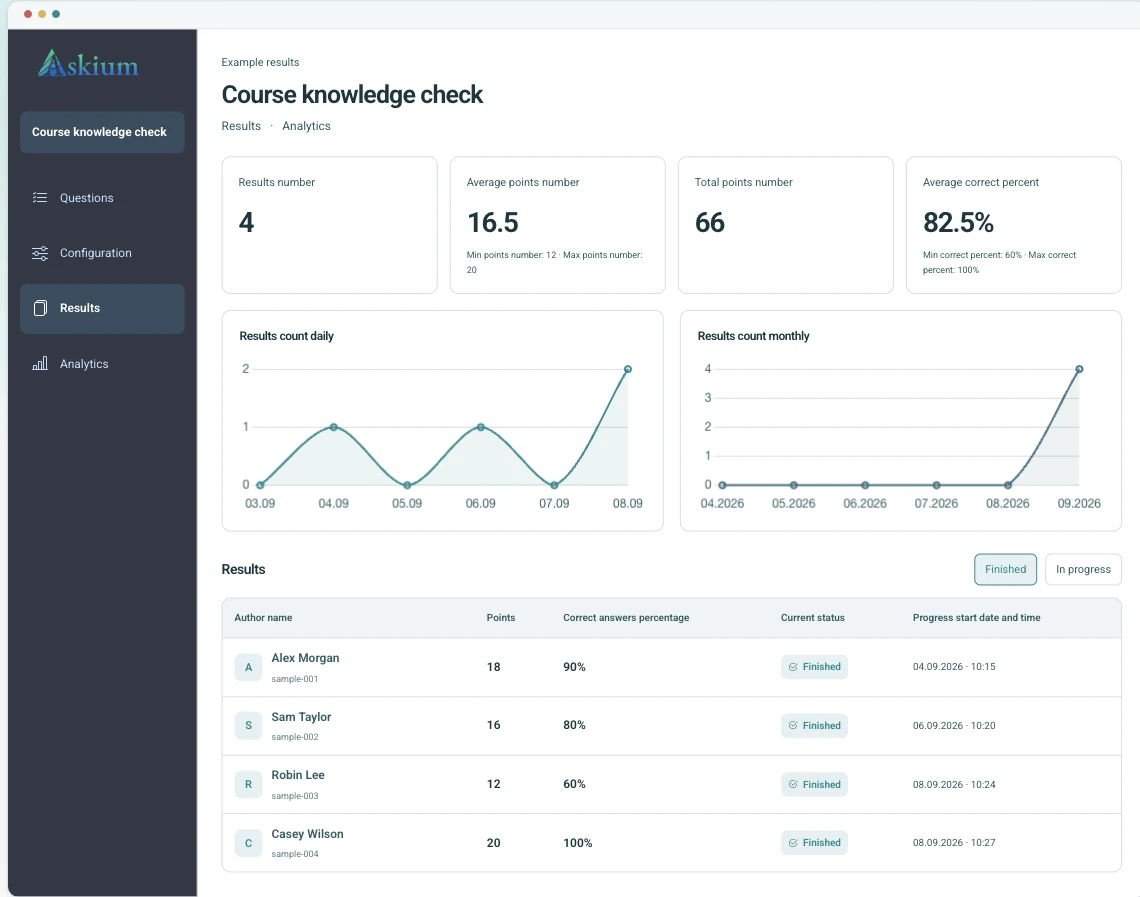
Desktop preview with sample data.
Collect feedback, understand your audience and hear what matters.
Open live demoCheck knowledge with automatic scoring and detailed results.
Open live demoAssess knowledge with personal invitations, timers and monitoring.
Open live demoFrom your next hire to your next course: collect feedback, check knowledge and see the results in one place.
Use timed quizzes, invitation links, scoring, and analytics to compare answers without spreadsheet cleanup.
Compare Plus limitsLaunch assessments from your learning platform and send grades back through LTI integration.
Read integration docsCombine personal tickets, question timers, action monitoring, webcam proctoring signals, result verification keys, and exports.
Open proctored demoPublish branded surveys, review responses, and send each submission to your CRM or internal system with webhooks.
Create a surveyThe same flow supports simple surveys and stricter exams, so teams do not need separate tools for creation, delivery, and reporting.
Add questions manually, import them, or generate draft questions with AI; configure scoring, timers, pages, and branding.
Publish a public link, create personal invitation links, or launch through an LMS integration.
Participants answer in the client flow with progress, timers, access rules, monitoring, and proctoring when enabled.
Review results, export PDF/XLSX reports, verify result keys, and send data through API, webhooks, or LTI grade return.
Create faster, make it your own and understand every response.
Generate draft questions and answer options from a topic, then review and edit them before publishing.
Review timing, tab switches and webcam monitoring signals alongside each exam result.
See scores, correct-answer percentages, per-question analytics, and export result or analytics reports as PDF/XLSX.
Apply logos, colors, button styles, typography, backgrounds, and result-page styling to participant flows.
Use API tokens, webhooks, LTI launch/deep-link flows, and grade return for connected assessment workflows.
Workgroups let colleagues collaborate on forms, links, results, analytics, webhooks, and branding with scoped permissions.
Yes. The demo page opens real published demo forms: a survey, a scored quiz, and a proctored exam flow.
Surveys collect responses without scoring. Quizzes add correct answers and scoring. Exams add ticket-based delivery and stricter controls such as timers, monitoring, and proctoring.
No system can guarantee that. Askium records webcam and browser-event signals so reviewers can inspect risky attempts and make a decision.
Yes. The product includes LTI 1.1/1.3 flows, API access, webhooks, public OpenAPI/Postman assets, and result verification endpoints.
Yes. Askium supports result and analytics exports, including PDF and XLSX flows used by the application.
Use Basic for simple surveys. Plus fits AI-assisted quizzes, branding, API, webhooks, and a workgroup. Pro is for controlled exams, LTI, proctoring, and higher limits.
No. Respondents, quiz takers, and exam participants open the shared public link, invitation link, or LMS launch flow. Accounts are for form owners and team members.
Yes. You can use public links for open collection or personal invitation links for controlled delivery. Exam workflows can add tickets, timers, monitoring, and access rules.
Yes. Published forms are designed for phones, tablets, and desktop browsers, so participants can answer without installing a separate app.
Submitted answers are stored for results, analytics, exports, verification, and configured integrations. Form owners can review, export, and delete forms and responses from the application.
Start small with a real form, or open the demo to see the participant experience before creating an account.